Creating a Multi-Window Desktop App with Vercel Native SDK

Anthony Tietjen · July 15, 2026
Native SDK is Vercel's toolkit for building native desktop apps with TypeScript or Zig. Instead of rendering using an embedded browser or the operating system's web view, Native SDK opens native windows and renders the UI widgets in the windows using a proprietary 2d rendering engine written in Zig.
Getting Started
I started with the boilerplate app using native init but quickly found out that because it uses the managed mode with TypeScript, it didn't expose the ability to open multiple windows. I then created a new boilerplate app using native init --template zig-core which exposed the ability to create multiple windows using Zig code at the expense of not using TypeScript.
App Details
Started with zig-core boilerplate, and added 4 simple windows alongside the main one.
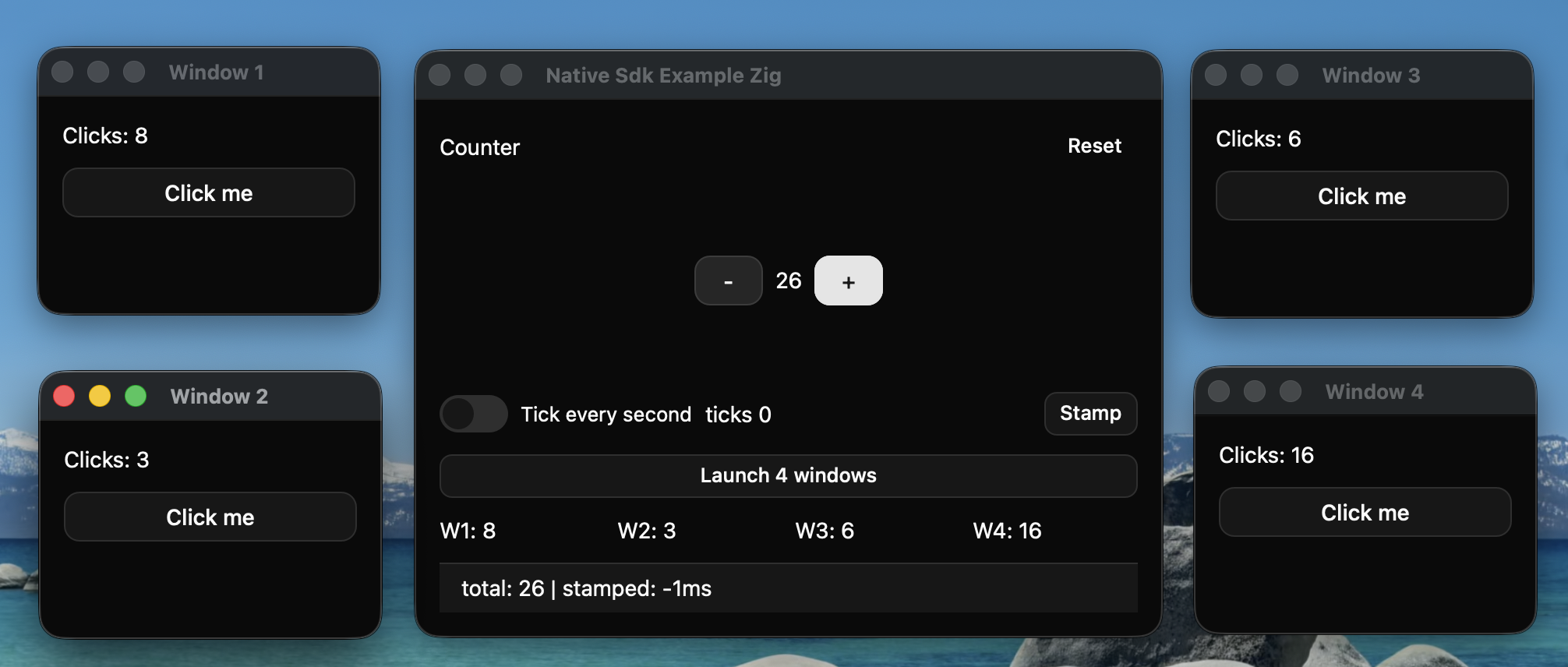
File Size, CPU and RAM Usage
For the following stats, I tested on a MacBook M5 with native-sdk version 0.5.1 installed.
File Size
Compiled to a binary with the filesize of
~4.1MBNote: This was just the binary, so it did not include an icon, info.plist, or other files that would go into a .app package.
CPU Usage
With single window opened
Ran at
.1%CPU while idle.Ran at
~6 to ~7%CPU while in use (clicking the increment button over and over)
With multiple windows opened
Ran at
.1%CPU while idle.Ran at
~7.4 to ~8.5CPU while in use (clicking the increment buttons over and over on multiple windows)
RAM Usage
With single window opened
Used
~110.7MBof RAM while idleUsed
~133.4MBof RAM while in use (clicking the increment button over and over)
With multiple windows opened
Used
130.8 MBof RAM while idle after launching 4 new windows in addition to the main oneUse
185.% MBof RAM while in use on 5 windows (clicking the buttons over and over on 5 windows)
Multi-Window Functionality
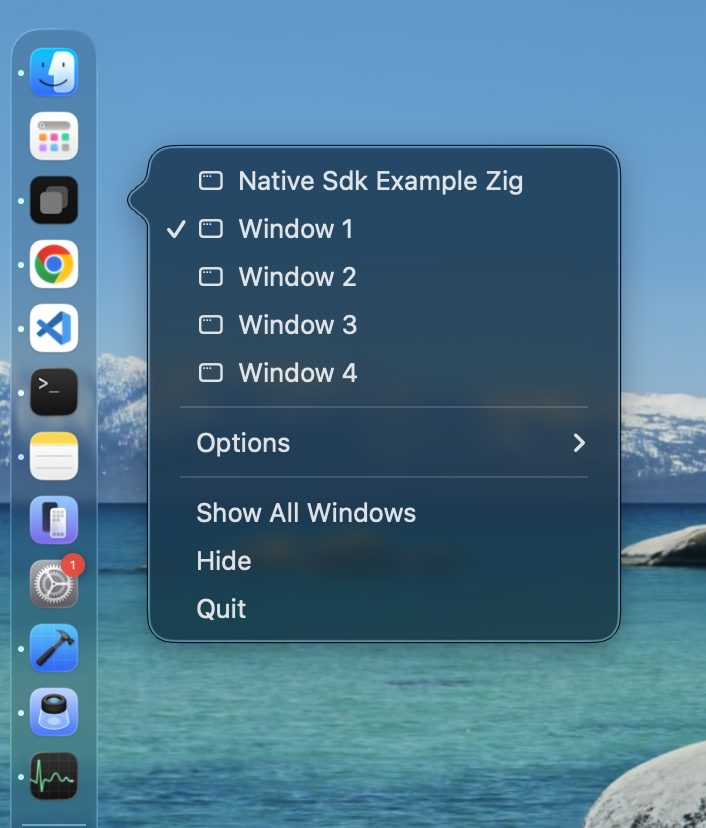
macOS Doc
The macOS Dock showed all five windows as expected.
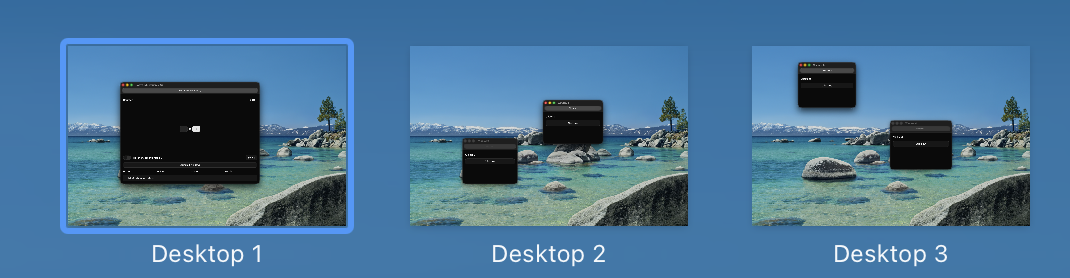
macOS Spaces
Each window could be moved to a separate macOS space allowing for end user flexibility.
General Window Features
Liquid Glass
Liquid Glass for macOS 26+ did not appear to be supported as of version 0.5.1.
Transparent Windows
Transparent windows did not appear to be supported as of version 0.5.1. See appkit_host.m where it hard-codes metalLayer.opaque = YES;
Always On Top
Always On Top did not appear to be supported as of version 0.5.1.
Transparent Titlebar
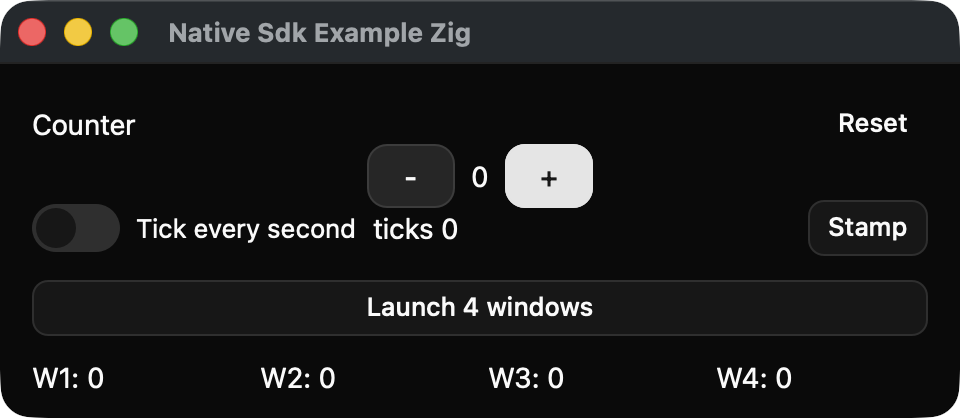
Using .titlebar = "hidden_inset" I was able to make the titlebar be transparent so it blended in with the body of the app. I used window-drag="true" on an element to be able to move the window now that the native titlebar wasn't visible.
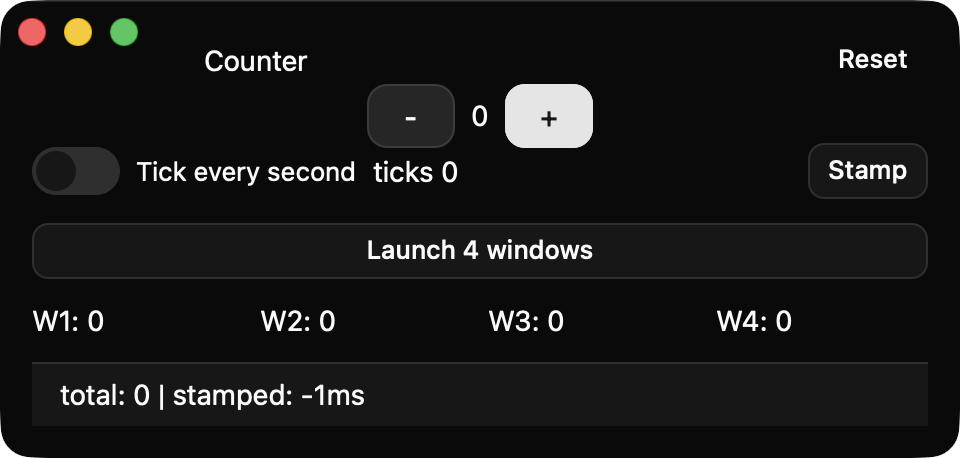
Borderless / Chromeless Windows
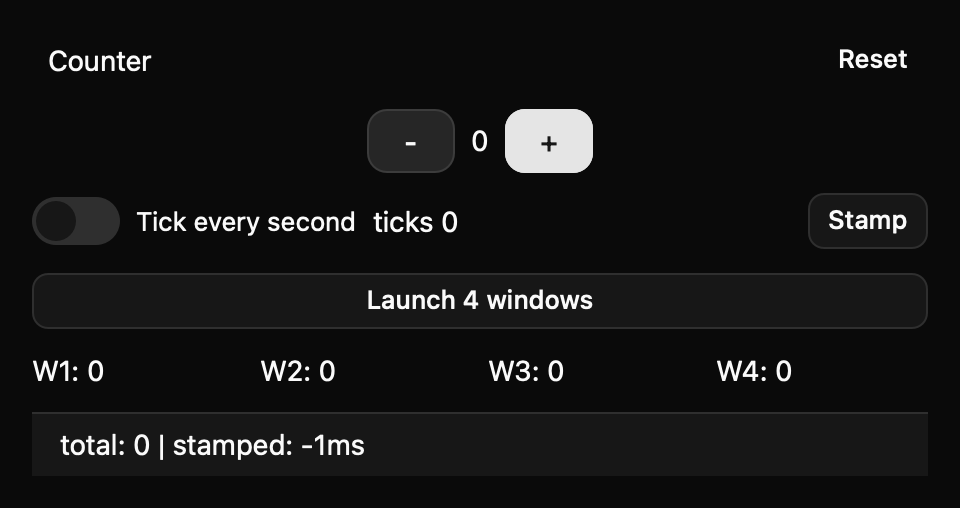
Using .titlebar = "chromeless" I was able to remove the native chrome and render a borderless window. I used window-drag="true" on an element to still be able to move the window.

About StratusCube
StratusCube makes software for everyday use along with software engineering articles. If you enjoined this article, please take a moment to browse our apps or check out more articles .